
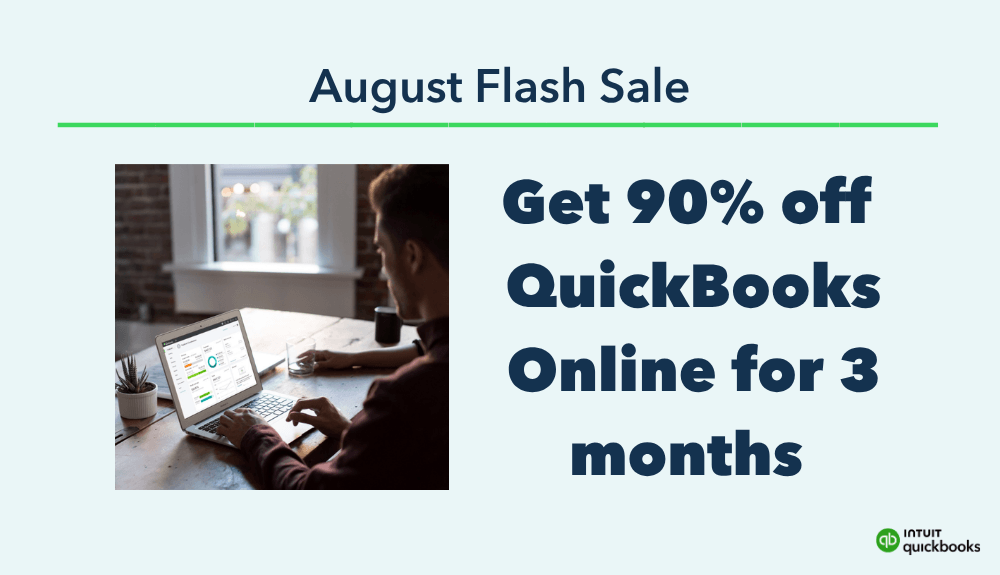
Why Right Now Is the Best Time to Sign Up for QuickBooks Online
If you’ve been telling yourself, “I really need to get my business finances organized,” this may be the time to finally do it.
QuickBooks Online is currently offering its Summer Savings promotion, giving new customers 90% off for the first 3 months through August 27.
That means you can get your bookkeeping system set up, connect your accounts, start tracking your income and expenses, and get comfortable with the platform while paying a fraction of the normal monthly cost.
And if your current bookkeeping system consists of spreadsheets, multiple bank logins, receipts sitting in your inbox, or telling yourself you’ll figure everything out before tax season, moving everything into one accounting platform can make running your business much easier.
>> QuickBooks makes it easy to stay organized, get paid faster, and head into Q3 with total clarity on where your business stands. And right now, you can get 90% off for 3 months!
Why Use QuickBooks Online?
QuickBooks Online is designed to help small business owners manage their finances in one place.
Instead of manually pulling numbers from different accounts every time you want to know how your business is doing, QuickBooks can connect directly to your business accounts and import transactions for you.
Depending on your plan, QuickBooks includes features for tracking income and expenses, invoicing customers, managing bills, monitoring cash flow, tracking profitability, and creating financial reports.
But the biggest benefit is not simply having more financial reports.
It’s being able to actually see what is happening with your money.
Know Whether Your Business Is Actually Profitable
Revenue can be exciting, but revenue does not tell you the whole story.
You might bring in $10,000 one month, but how much did you spend to earn it?
Software subscriptions, contractors, advertising, payment processing fees, travel, supplies, and dozens of other expenses can quickly eat into that revenue.
QuickBooks can help you keep those transactions organized so you can look at your Profit and Loss statement and see what your business actually earned after expenses.
That information can help you make better decisions about what you can afford, where you may be overspending, and which parts of your business are producing the most money.
Want to take your social media game to the next level?
My Social Media ebook is designed to help you master the art of leveraging social platforms to grow your online presence and generate real results. Whether you’re a business owner, influencer, or just starting out, this guide will walk you through the essentials of creating engaging content, building a loyal audience, and driving traffic to your offers.
Packed with actionable tips, content strategies, and time-saving hacks, this ebook gives you everything you need to optimize your social media efforts across Instagram, Facebook, Pinterest, and more.

My favorite tools in my business:
- Quickbooks:Track expenses, stay organized all year, and breeze through tax season—plus get 30% off your first 6 months.
- Later: A social media management platform known for its user-friendly, drag-and-drop interface that helps users plan, schedule, and analyze content across multiple social media platforms
- TubeBuddy: YouTube channel management tool for keyword research, video optimization, analytics, and competitor analysis. It helps me save time and grow my audience by optimizing content and gain insights into my channel’s performance.
- ThriveCart: This is what I use to host my online courses and membership. One-time fee of roughly $495 for a lifetime license.
- Flodesk: My email provider, get 50% off your first year, unlimited email subscribers at no increased price. It comes with email templates, lead, popup, & opt-in forms for collecting email and is very intuitive.
- Honeybook: Platform for Virtual Assistants and Freelancing; templates for contracts, create and send invoices, scheduling, automations, and manage your clients all in one place!
- Create an LLC for $39: Super easy to use service to create an LLC for your online business, walks you through the whole process, step-by-step.
Stop Waiting Until Tax Season to Organize Everything
One of the worst times to realize your bookkeeping is a mess is when your accountant asks for your financial information.
Suddenly you’re searching through bank statements, trying to remember what a transaction from eight months ago was, and figuring out which purchases were personal versus business.
Keeping your books updated throughout the year makes tax time much less stressful.
As transactions come into QuickBooks, you can categorize them while the purchases are still fresh in your mind instead of trying to reconstruct an entire year of business activity later.
Your accountant can also work from much cleaner financial records.
How To Launch Your First Course
Ready to turn your passion into profit? How To Launch Your First Course empowers you to share your expertise, impact lives, and earn money through teaching what you know.
With click-by-click video walkthroughs, you’ll master every step of the process in real-time, while in-depth strategy lessons give you the insights needed to craft, price, and launch a successful course. Plus, our downloadable PDF tech guide simplifies the tech setup, ensuring you’re equipped to deliver high-quality content with ease.
Take the leap—transform your knowledge into an engaging online course that captivates and teaches.

Save Time on Repetitive Bookkeeping Tasks
Bookkeeping is necessary, but that does not mean you should spend hours manually entering every transaction.
QuickBooks Online can securely import transactions from connected accounts and help organize your financial activity.
Once you develop a regular bookkeeping routine, managing your finances can become a much smaller task.
Instead of sitting down once or twice a year for a massive cleanup, you can spend a few minutes reviewing transactions regularly and keeping everything current.
That consistency can save you HOURS later.
Keep Your Business and Personal Finances Separate
If you are building a business, keeping your business finances organized separately from your personal spending is incredibly important.
Connecting your dedicated business bank accounts and credit cards to QuickBooks gives you one place to review your business activity without digging through personal transactions.
It also gives you a much clearer picture of how much money your business is bringing in, how much it is spending, and how much is actually available to pay yourself.
Create Professional Invoices and Track Payments
If you invoice clients, QuickBooks can also help you create invoices and track whether customers have paid.
QuickBooks supports invoicing and payment tracking, including the ability to accept certain payments directly through invoices with QuickBooks Payments.
Instead of trying to remember who still owes you money, you have a system showing you what has been invoiced, what has been paid, and what is still outstanding.
That becomes even more valuable as your business grows and you are managing multiple customers at once.
Make Financial Decisions Based on Your Actual Numbers
There is a big difference between thinking your business is doing well and KNOWING your business is doing well.
When your bookkeeping is current, you can answer questions like:
- How much revenue did I make this month?
- What were my biggest expenses?
- How much profit did I actually keep?
- Are my expenses increasing faster than my revenue?
- Can my business afford another contractor or software subscription?
- Which expenses could I reduce?
Those are much easier questions to answer when your financial information is organized in one place.
Your Future Self Will Thank You
You do not need to wait until your business is bigger to start keeping better financial records.
In fact, getting a system in place now can make growth much easier.
You’ll know where your money is going.
You’ll have cleaner records for tax season.
You’ll spend less time piecing together financial information.
And most importantly, you’ll have a much clearer understanding of the business you are building.
If QuickBooks Online has been sitting on your business to do list, this Summer Savings promotion gives you a very good reason to finally check it off.
👉 Get 90% off QuickBooks Online for your first 3 months through August 27.
The promotion ends August 27, so if you have already been considering QuickBooks, now is a great time to get your books organized and start building a better financial routine for your business.
Frequently Asked Questions about QuickBooks for Tax Season
Do I need to be good with numbers to use QuickBooks?
Not at all. QuickBooks is built for non-accountants. It’s user-friendly, with simple dashboards and step-by-step prompts to walk you through everything. If you can check your bank balance, you can use QuickBooks.
What if I already made a mess of my books—can QuickBooks help clean it up?
Yes. When you sign up, you get 30 days of QuickBooks Live Expert Assisted, where a real human will help you organize and clean up your existing records so you can file accurately and move forward with confidence.
How does the 30% discount work?
When you sign up, you’ll get 30% off for your first six months of QuickBooks. No coupon code needed—it applies automatically at checkout.
Can I use QuickBooks if I only have a side hustle?
Absolutely. Whether you earn income from freelancing, coaching, online sales, or any other side gig, QuickBooks can help you track it, separate business and personal expenses, and simplify your taxes.
Is QuickBooks just for tax time?
Nope. Tax season is just one piece of the puzzle. QuickBooks helps you track income and expenses all year long, making it easier to stay organized, spot trends, and plan for growth.
What if I’m already behind—will it still help?
Yes. Even if you’re down to the wire, QuickBooks can import and organize your past transactions fast. Pair that with the 30 days of expert help, and you’ll be back on track quickly.
Is QuickBooks only for product-based businesses?
Not at all. QuickBooks works great for both product and service-based businesses. Whether you’re selling handmade items, offering consulting services, running a virtual assistant business, or anything in between, it tracks your income and expenses in a way that makes sense for your business model.
What devices can I use QuickBooks on?
You can access QuickBooks from your computer or through their mobile app on iPhone or Android. That means you can check your reports, send invoices, or snap a picture of a receipt—anytime, anywhere.
Will QuickBooks work with my accountant?
Yes. You can give your accountant access directly inside QuickBooks. They’ll be able to see your numbers in real time, run reports, and help you prepare your return without all the back-and-forth emails and spreadsheets.
What’s included in QuickBooks Live Expert Assisted?
During your 30-day access, you’ll be paired with a bookkeeping expert who helps set up your account, answers questions, reviews your records, and makes sure your books are clean and accurate—perfect if you’re preparing for taxes or just getting started.
What happens after the 30% discount ends?
You’ll continue with your regular monthly plan. But by then, you’ll likely have saved more than that in missed deductions, late fees, and time. It’s a small investment with a big return when you’re running any kind of business.
Can I cancel if it’s not for me?
Yes. QuickBooks offers no long-term contracts. You can cancel anytime if it doesn’t fit your needs—but once you see how much time and stress it saves, you’ll probably want to keep it.

✅ Ready to Make Tax Time Less Painful?
You don’t have to stress. You don’t have to scramble. And you definitely don’t have to do it all alone.
QuickBooks helps you track expenses, organize your finances, and get tax-ready fast—even if you’re running behind.
👉 Get 30% off for 6 months
👉 Get 30 days of expert support
👉 And get your peace of mind back
>> Sign up today and make this tax season the last one you ever panic through.
Some of the links in this article are "affiliate links", a link with a special tracking code. This means if you click on an affiliate link and purchase the item, we will receive an affiliate commission. The price of the item is the same whether it is an affiliate link or not. Regardless, we only recommend products or services we believe will add value to our readers. By using the affiliate links, you are helping support our Website, and we genuinely appreciate your support.

what do you think?
You must be logged in to post a comment.